
GTA 5 on PC is a completely different beast compared to console versions. You get bleeding-edge graphics, ultra-fast load times, and a modding ecosystem that consoles can only dream about. But a lot of players jump in without understanding where the real boundaries are, and that confusion leads to missed opportunities or worse, a banned account. This guide breaks down every PC-exclusive advantage, how to push your settings to the limit, and how to mod or boost your account without putting everything you've built at risk.
Table of Contents
- What makes GTA 5 on PC unique?
- Maximizing PC graphics: Settings, benchmarks, and upgrades
- Safe modding: How to expand GTA 5 without risking bans
- Account boosts and unlocking progression: The real dangers
- A PC gamer's perspective: Why going exclusive is worth it (and what nobody tells you)
- Upgrade your GTA 5 experience with trusted PC services
- Frequently asked questions
Key Takeaways
| Point | Details |
|---|---|
| PC-only enhancements | GTA 5 on PC offers exclusive graphics, performance, and modding features unavailable on any console. |
| Safe modding guidelines | Always separate your modded and clean installs and avoid using mods in GTA Online to prevent bans. |
| Beware of boosts | Account boosting services violate Rockstar’s rules and can lead to bans, so stick with legitimate progression methods. |
| Optimize for performance | Using upscalers and proper settings unlocks higher frame rates and visual quality on modern PCs. |
What makes GTA 5 on PC unique?
The gap between PC and console versions of GTA 5 is bigger than most players realize. It's not just about sharper textures or smoother frame rates. The PC version in 2026 includes features that are architecturally impossible on current-gen consoles.
The PC-exclusive features include ray-traced global illumination, ray-traced ambient occlusion, high-resolution reflections, DLSS and FSR upscaling support, DirectStorage for faster asset streaming, and the ability to run at resolutions and frame rates far beyond what consoles allow. These aren't minor tweaks. Ray-traced global illumination changes how every light source interacts with every surface in the game world.
Here's a quick comparison to show how PC stacks up:
| Feature | PC (Enhanced) | PS5 / Xbox Series X |
|---|---|---|
| Ray-traced global illumination | Yes | No |
| Ray-traced ambient occlusion | Yes | No |
| DLSS / FSR upscaling | Yes | No |
| DirectStorage support | Yes | No |
| Max resolution | 4K+ | 4K (capped) |
| Frame rate cap | Unlimited | 60fps max |
| Mod support | Full | None |
Performance numbers back this up. Benchmarks show that an RTX 4070 hits 119fps at max settings with ray tracing enabled. That's a number consoles simply cannot touch. The same tests reveal that switching from RT Ultra to RT High saves around 18fps, which is a meaningful trade-off depending on your hardware.
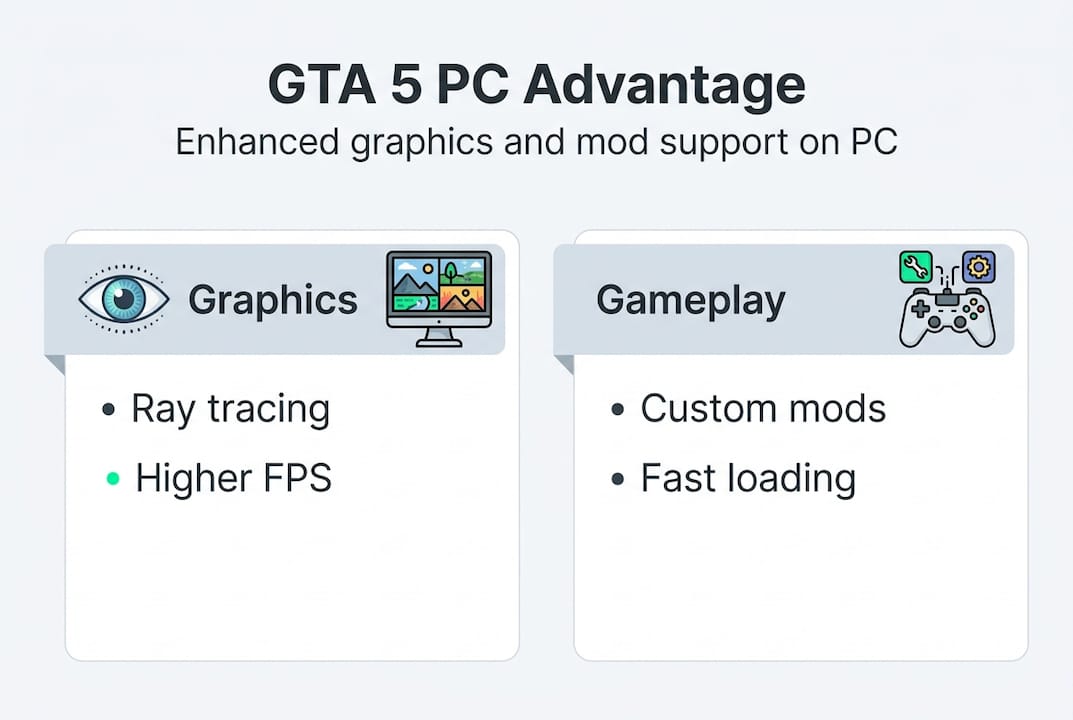
Beyond raw performance, the enhanced ray tracing comparison between PC and console versions shows dramatic differences in how shadows, light bounces, and reflections behave in real gameplay environments. It genuinely looks like a different game.
Mod support is the other massive differentiator. PC players can install custom vehicles, scripts, visual overhauls, and gameplay changes that transform the entire experience. Consoles get nothing close to this level of flexibility.

Now that you know what makes GTA 5 on PC stand out, let's explore how these exclusive features translate to real gameplay improvements.
Maximizing PC graphics: Settings, benchmarks, and upgrades
Knowing the features exist is one thing. Actually getting them to run well on your specific setup is another challenge entirely. Here's how to approach it.
First, look at real GPU performance data. Benchmarks confirm that mid-to-high-end GPUs can hit 100fps or more with enhanced settings active. The RT Ultra vs RT High gap of 18fps matters a lot if you're sitting at 80fps and want to stay above 60.
| GPU | Settings | Avg FPS |
|---|---|---|
| RTX 4070 | Max RT Ultra | 119fps |
| RTX 3080 | RT High | ~95fps |
| RX 7800 XT | FSR Quality, High | ~105fps |
| RTX 3060 | RT Medium | ~72fps |
Here's a step-by-step process to dial in your settings:
- Start with the in-game benchmark tool to get your baseline frame rate.
- Enable DLSS Quality mode if you have an Nvidia GPU, or FSR Quality for AMD. DLSS Quality mode boosts FPS by 7.2% over native rendering, which gives you headroom for better visual settings.
- Set ray tracing to High before trying Ultra. The visual difference is subtle but the performance cost is real.
- Lock your frame rate to 10fps below your GPU's max to reduce stuttering.
- Adjust texture quality based on your VRAM. 8GB VRAM handles High textures well; 12GB or more handles Ultra comfortably.
Pro Tip: Switching to an NVMe SSD and enabling DirectStorage cuts GTA 5's open-world load times dramatically. If you're still running the game from a spinning hard drive, you're leaving a massive quality-of-life upgrade on the table.
Getting the most out of visuals is thrilling, but the PC experience goes even further with the world of mods.
Safe modding: How to expand GTA 5 without risking bans
Modding GTA 5 on PC is one of the best parts of the platform. But there's a right way and a very wrong way to do it. The wrong way gets your account wiped.
The safest modding process follows these steps:
- Install GTA 5 mods using the dedicated mods folder inside your game directory, not by replacing core game files directly.
- Use Script Hook V to run script-based mods in Story Mode only.
- Use OpenIV's mods folder and Script Hook V exclusively for Story Mode; always back up your original files before installing anything.
- Never launch GTA Online while any mod files are active. Story Mode and Online must be completely separated.
- Keep a clean, unmodified copy of the game for Online play.
Rockstar's position on this is not ambiguous. Their zero-tolerance policy for mods and cheats in GTA Online means bans can range from temporary suspensions to full permanent bans and stat resets with no appeal process.
"Rockstar maintains zero tolerance for mods and cheats in GTA Online. Violations may result in suspensions, stat resets, or permanent bans."
The detection systems Rockstar uses are sophisticated. They flag unusual stat changes, impossible in-game actions, and modified game files communicating with Online servers. Even accidentally launching Online with a mod active can trigger a flag.
Pro Tip: Keep two separate game installations if your storage allows it. One fully modded for Story Mode, one completely clean for Online. This removes all risk of accidental crossover.
With your PC modded safely and looking its best, some players turn to account boosts. Here's what you need to know before going that route.
Account boosts and unlocking progression: The real dangers
Account boosting services promise fast levels, money drops, and unlocked stats. The reality is more complicated and riskier than any of those services will admit.
Here are the real risks of using account boost services:
- Account boosts violate Rockstar's Terms of Service directly, regardless of what the service claims about being "safe" or "undetectable."
- Bans can be permanent with no recourse. You lose everything on that account.
- Many services use methods that trigger Rockstar's automated detection systems within days or even hours.
- No boost service can offer a verifiable, proven guarantee against bans. The claim simply doesn't hold up.
- Some services are outright scams that take your money and deliver nothing.
Rockstar's enforcement isn't passive. They run ban waves targeting boosted accounts regularly, and detection has improved significantly in recent updates.
If you want to progress faster through legitimate means, these options actually work:
- GTA+ membership: Rockstar's official subscription gives bonus GTA$ and exclusive content each month.
- In-game events and challenges: Weekly Rockstar events offer double money on specific activities.
- FiveM for custom multiplayer: FiveM runs on separate servers outside Rockstar's infrastructure, so custom gameplay and mods there carry no risk to your main GTA Online account.
- Official Enhanced update content: The Enhanced update added new ways to earn in-game currency through updated missions and activities.
Understanding the risks and rewards of GTA 5 PC's exclusives, modding, and progression, it's time to share real-world experience and honest wisdom.
A PC gamer's perspective: Why going exclusive is worth it (and what nobody tells you)
Here's the honest truth most guides skip over. The PC version of GTA 5 is genuinely the best version, but only if you respect the rules of the ecosystem.
The players who get the most out of it are disciplined. They separate their Story Mode mods from Online. They use FiveM for creative multiplayer without touching their main account. They optimize their settings instead of chasing every new boost service that promises shortcuts.
The biggest mistake new PC players make is treating Story Mode and Online as interchangeable. They're not. Strict separation between Story and Online is the single most important habit you can build. Mod communities have been saying this for years, and Rockstar's enforcement record proves why.
FiveM is genuinely underrated as a solution. It gives you the creative freedom of modded multiplayer without any risk to your main account. If you haven't explored it, you're missing one of PC gaming's best communities.
The enhanced visuals, when paired with smart modding habits, give GTA 5 a replay value that's hard to find anywhere else. This game has been out for over a decade and PC players are still discovering new ways to experience it.
Upgrade your GTA 5 experience with trusted PC services
If you want to take your GTA 5 PC setup to the next level without the stress of navigating every technical detail yourself, working with a trusted service makes a real difference. The right provider handles everything carefully, follows safe practices, and backs their work with a real guarantee.
SnagzShop offers fast and safe GTA 5 PC mod services including level boosts, modded outfits, vehicle add-ons, and stat unlocks. Orders complete in 5 to 30 minutes, every service comes with a ban warranty, and everything is handled through Discord with CashApp payments. Trusted by 150+ customers with a perfect track record, it's the kind of PC mods and account recovery service that actually delivers what it promises.
Frequently asked questions
What features are truly exclusive to GTA 5 on PC?
Only PC players get ray-traced lighting effects, DLSS and FSR upscaling, DirectStorage for faster loading, and full mod support. Consoles don't have access to any of these features.
Is it safe to use mods in GTA 5 for PC?
Mods are safe in Story Mode when you use a separate mods folder, but mods are strictly forbidden in GTA Online and will get your account banned. Always keep your installs separated.
Do account boost services actually work without getting banned?
There is no proven method to guarantee ban-free boosts. Account boosts violate Rockstar's Terms of Service and Rockstar actively bans accounts that use these services.
What are the best legal ways to progress fast in GTA 5?
Rockstar's GTA+ subscription, weekly in-game events, and FiveM custom servers are all legitimate ways to progress faster without risking your account.