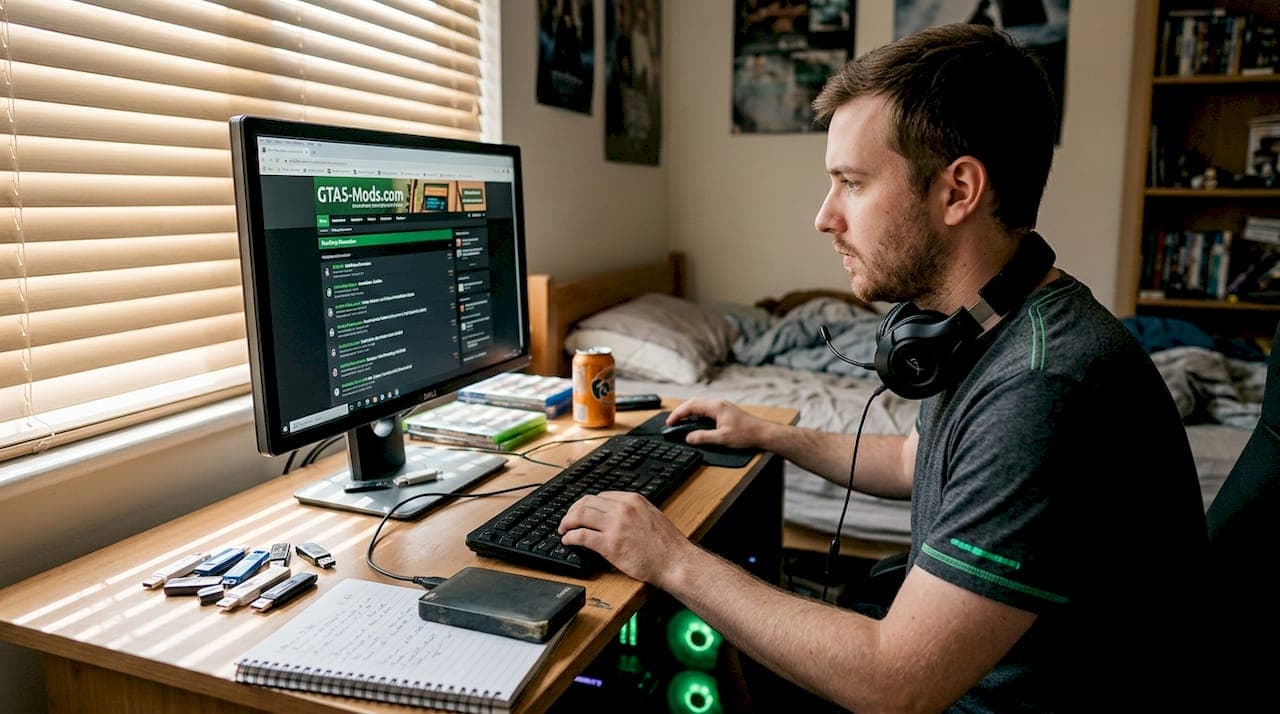
Vanilla GTA 5 gets old fast. You've seen every mission, maxed out your wanted level for fun, and driven the same cars a hundred times. Mods change all of that, turning a five-year-old game into something completely fresh. But here's the catch: install the wrong file, use a shady tool, or accidentally launch GTA Online with mods active, and Rockstar's ban hammer comes down hard. This guide walks you through every step of modding GTA 5 on PC safely in 2026, from the tools you need to the exact process that keeps your account intact.
Table of Contents
- What you need before installing GTA 5 PC mods
- Step-by-step guide to installing GTA 5 PC mods
- Avoiding account bans: Rockstar's modding policy explained
- Troubleshooting, testing, and staying up to date
- Why safe modding matters more than ever in 2026
- Upgrade your GTA 5 PC modding with expert support
- Frequently asked questions
Key Takeaways
| Point | Details |
|---|---|
| Essential modding tools | Script Hook V and OpenIV are foundational for safe GTA 5 PC modding. |
| Avoid GTA Online bans | Mods should only be used for single-player mode, never GTA Online, to prevent account suspension. |
| Backup and update regularly | Always backup files and update modding tools after patches to avoid crashes and corruption. |
| Test mods individually | Install and test each mod separately to quickly detect conflicts or errors. |
| Get expert support | Consider professional services for mod installation and account recovery for maximum safety and efficiency. |
What you need before installing GTA 5 PC mods
Before you touch a single mod file, you need the right foundation. Skipping this step is how most players end up with a broken game or a banned account. Think of it like building a house: the tools and prep work matter just as much as the final result.
The two non-negotiable tools are Script Hook V and OpenIV. Script Hook V and OpenIV are the core tools for GTA 5 PC modding, handling script mods and asset replacement respectively. Without them, most mods simply won't run. Script Hook V lets custom scripts run inside the game engine, while OpenIV lets you safely edit and replace game archive files without permanently overwriting originals.
Here's a quick comparison of what each tool does:
| Tool | Function | Required for |
|---|---|---|
| Script Hook V | Runs .asi and script mods | Script-based mods |
| OpenIV | Edits game archives | Visual and asset mods |
| OpenIV ASI Loader | Loads OpenIV plugins | Both types |
| Mod Manager | Switches mod profiles | Safe online switching |
Before downloading anything, make sure you only grab tools from official verified sources to avoid malware. Unofficial mirrors are a common way hackers bundle keyloggers or trojans into mod tool packages. Always verify the URL matches the real developer's site.
Here's your pre-install checklist:
- Back up your GTA 5 folder before installing anything. Copy the entire directory to a separate drive or folder.
- Verify your game files through Steam or Rockstar Launcher after backing up.
- Disable your antivirus temporarily during tool installation since .asi files often trigger false positives.
- Check Script Hook V compatibility with your current game version before downloading.
- Download mods only from GTA5-Mods.com or NexusMods for verified, community-reviewed files.
Pro Tip: Create a separate folder called "GTA5_Backup" and copy your original game files there before touching anything. If a mod breaks your game, you can restore in minutes instead of re-downloading the full install.
One thing most guides skip: check your game version number before downloading Script Hook V. The tool must match your exact game version or it won't work at all. You can find your version in the Rockstar Launcher under game properties.
Step-by-step guide to installing GTA 5 PC mods
With your tools downloaded and backups in place, here's exactly how to install mods without making costly mistakes.
Step 1: Install Script Hook V. Unzip the downloaded package and copy ScriptHookV.dll and dinput8.dll into the same folder as your GTA5.exe file. That's it for Script Hook V.
Step 2: Install OpenIV. Run the OpenIV installer and point it to your GTA 5 directory. Once installed, open OpenIV and use the "ASI Manager" option to install OpenIV.ASI and the OpenIV Package Installer.

Step 3: Create a mods folder. Inside OpenIV, use the "mods" folder feature. This is critical. It tells the game to load modified files from the mods folder instead of the originals, so your base files stay untouched.
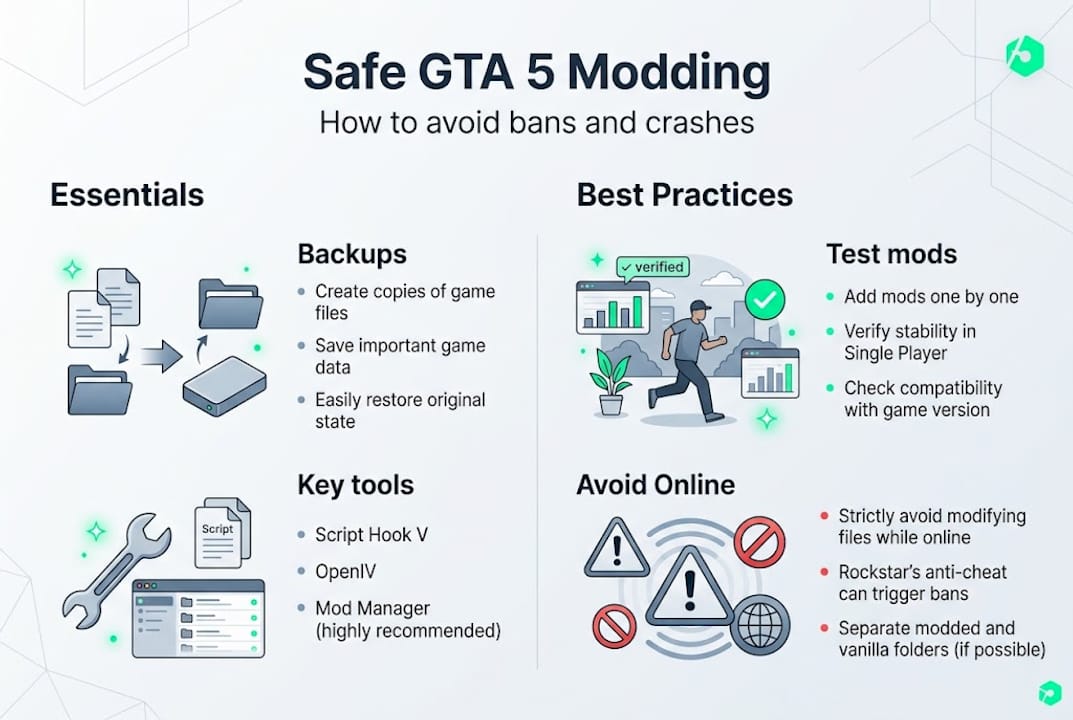
Step 4: Install your first mod. Download a simple mod from GTA5-Mods.com. Drag the files into the correct location inside OpenIV's mods folder. For script mods, drop the .asi or .dll file directly into your GTA 5 root folder.
Step 5: Test before adding more. Launch story mode only and check if the mod works. Never stack five new mods at once. Add one, test it, then add the next.
Here's a quick reference for common mod file types:
| File type | Where it goes | Tool needed |
|---|---|---|
| .asi | GTA5.exe folder | Script Hook V |
| .dll | GTA5.exe folder | Script Hook V |
| .rpf | Mods folder via OpenIV | OpenIV |
| .oiv | Installed via OpenIV Package Installer | OpenIV |
Always use trusted sources like GTA5-Mods.com or NexusMods and back up your files before every new install. Community-reviewed mods have far fewer hidden issues than random downloads.
Never launch GTA Online with mods active. Story mode only. This single rule prevents 95% of all modding bans.
Pro Tip: Keep a text file in your GTA 5 folder listing every mod you've installed and its version number. When a game patch drops, you'll know exactly which tools need updating before you launch.
Avoiding account bans: Rockstar's modding policy explained
Modding GTA 5 is legal in single-player. Rockstar has always allowed it. But the moment mods touch GTA Online, you're in violation of the Terms of Service and the consequences are real.
Rockstar permits single-player modding but strictly bans any mod use in GTA Online, with risks ranging from account suspension to a permanent ban. The detection system runs automatically and doesn't care whether you accidentally launched online or did it on purpose.
Here's how single-player and online modding compare:
| Scenario | Risk level | Rockstar's stance |
|---|---|---|
| Mods in story mode | None | Permitted |
| Mods accidentally in Online | High | Suspension or ban |
| Mods intentionally in Online | Severe | Permanent ban |
| Clean install for Online | None | Fully safe |
The punishment scale matters. A first offense typically means a 30-day suspension plus a full character reset. Second offense is usually permanent. You lose everything: rank, money, properties, vehicles. All of it gone.
Here's how to protect yourself:
- Use a mod manager to create separate profiles for modded and clean installs.
- Never launch GTA Online without first disabling all mods and verifying game files.
- Keep two separate GTA 5 folders if you have the storage: one for mods, one for Online.
- Watch for Rockstar updates that can re-enable Online detection even after you've disabled mods.
Rockstar's anti-cheat doesn't distinguish between "harmless" and "harmful" mods in Online. Any mod file detected triggers the same response.
Pro Tip: After every Rockstar game update, verify your game files through Steam or the Rockstar Launcher before launching. Updates sometimes overwrite your mods folder setup and can cause unexpected Online launches with leftover mod files still active.
Troubleshooting, testing, and staying up to date
Even a perfectly installed mod can break after a game patch. This is one of the most frustrating parts of PC modding, but it's completely manageable if you know what to check.
The most common crash scenario: Rockstar releases a patch, Script Hook V hasn't been updated yet, and your game crashes on launch. A game crash post-patch almost always means Script Hook V is outdated and needs a new version. The fix is simple: visit the official site, grab the latest version, and replace the old files.
Here's your troubleshooting checklist:
- Game crashes on launch: Update Script Hook V first. This fixes the issue 80% of the time.
- Mod not working: Check that the file is in the correct folder and matches your game version.
- Game crashes mid-session: You likely have a mod conflict. Disable all mods, then re-enable one at a time.
- Online ban warning: Immediately verify game files and remove all mod files before launching again.
- Missing textures or visual glitches: Rebuild your mods folder in OpenIV.
For ongoing support, the GTA5-Mods.com forums and Reddit's r/GrandTheftAutoV_PC are the most reliable community resources. Mod authors typically post compatibility updates within days of a major game patch.
One underrated fact: Script Hook V is lightweight with zero FPS impact based on community reviews, so performance issues after modding are almost always caused by the mods themselves, not the tool.
Pro Tip: After a Rockstar patch, wait 24 to 48 hours before launching your modded game. Script Hook V and OpenIV developers usually push updates fast, and waiting saves you from a crash loop.
Keep a changelog of every mod update you apply. When something breaks, you'll know exactly what changed and can roll back quickly.
Why safe modding matters more than ever in 2026
Here's something most modding guides won't tell you: the risk of getting banned has actually gone up even as the tools have gotten better. That sounds backwards, but it makes sense when you look at what Rockstar has been doing.
Rockstar's policy has evolved in a complicated direction: they tolerate single-player mods, acquired FiveM for roleplay servers, but actively shut down competing platforms. That tells you everything. They want to control the modding ecosystem, not eliminate it.
What that means for you in 2026 is that the rules are more enforced, not less. Rockstar's detection systems are smarter. The community has learned hard lessons from mass ban waves. And the players who get banned now are almost always the ones who ignored basic safety steps that have been documented for years.
The good news is that the community knowledge base has never been stronger. New modders have access to guides, forums, and tools that make safe modding genuinely accessible. The barrier isn't technical anymore. It's patience and attention to detail. Follow the steps, use trusted tools, and keep mods out of Online. That's it.
Upgrade your GTA 5 PC modding with expert support
DIY modding is rewarding, but it takes time, research, and a tolerance for troubleshooting. If you want results without the trial and error, that's exactly what we built SnagzShop for.
At SnagzShop, we offer fast and safe GTA 5 PC mod services including level boosts, modded outfits, vehicle add-ons, and stat unlocks. Every order comes with a ban warranty, and most are completed in 5 to 30 minutes. We handle everything through Discord, accept CashApp, and have a perfect track record with 150+ satisfied customers. Skip the setup headaches and get straight to the fun.
Frequently asked questions
Is it safe to use GTA 5 PC mods in online play?
No. Rockstar strictly bans mod use in GTA Online and can issue account suspensions or permanent bans. Only use mods in story mode.
What is the easiest way to disable mods for GTA Online?
Use a mod manager to switch profiles instantly, or keep a clean separate install. Accidental online launches with active mods cause the vast majority of bans, so a quick-disable method is essential.
Where can I find safe GTA 5 PC mods?
Download from reputable platforms like GTA5-Mods.com or NexusMods, and always keep your tools updated. Trusted sources with community reviews drastically reduce the risk of malware or broken installs.
How do I fix GTA 5 crashes after installing mods?
Start by updating Script Hook V, since a post-patch crash is almost always caused by an outdated tool. Then test mods one at a time to find conflicts.